I've tried a lot of fitness apps. Most of them get deleted within two weeks.
Lyfta is the one that stayed. After five weeks of daily use, I'm still finding features I didn't know existed — and it's already changed how I program, track, and think about my training.
Here's my honest take on why Lyfta is the best lifting app I've found, what makes it different, and how to get 30% off premium.
Disclosure: I'm a Lyfta affiliate. If you use my link or code, I earn a small commission at no extra cost to you. I only recommend apps I personally use daily.
What Is Lyfta?
 Lyfta is a workout tracking and programming app for iOS and Android. At its core, it does three things better than anything else I've used:
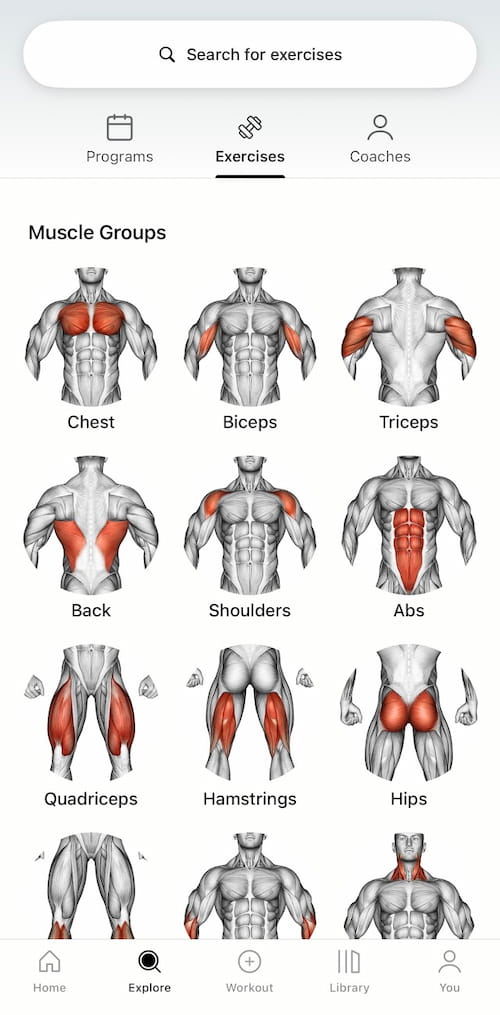
1. Exercise library with video demos. Thousands of exercises, each with a clear animation showing exactly how to perform the movement. You can browse by muscle group, by equipment, or by movement pattern. When I was building my current program, I could find every variation I wanted in seconds — and see exactly how to perform it.
2. Custom program building. Build your own program from scratch or choose from dozens of coach-designed programs. Once your workouts are built, you just hit "Perform Again" on your last session and everything is pre-loaded — the exercises, the weights you used last time, your sets and reps. No setup, no guesswork.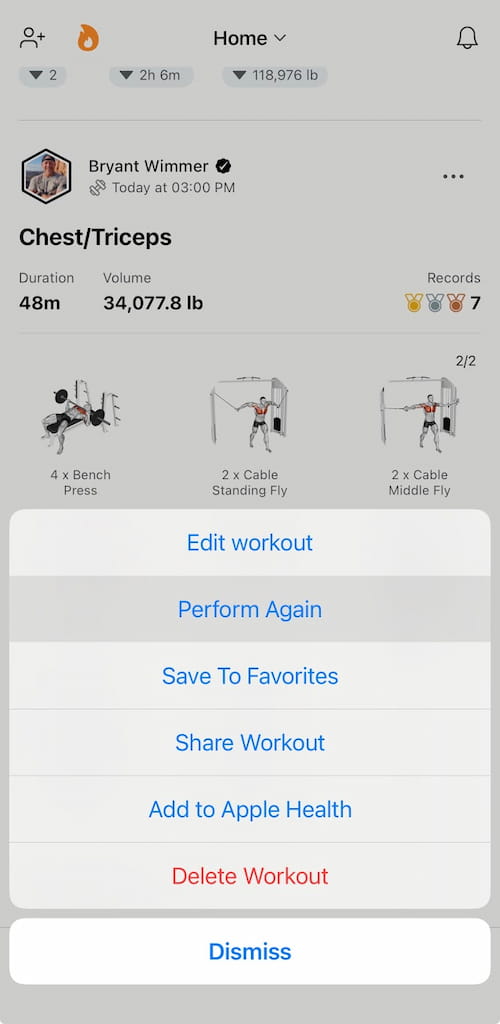
3. Volume tracking. This is the feature that separates serious lifters from everyone else. Lyfta automatically tracks your total training volume — sets × reps × weight — for every exercise, every session. If your volume goes up week over week, you're applying progressive overload. The app makes progress visible.
My Current Routine in Lyfta
My training split runs Back/Biceps, Chest/Triceps, and Legs/Shoulders — each twice per week. I also work core on Back/Bicep days. Six training days, consistent structure, tracked every session.
The workflow is simple. I open Lyfta, find my last Chest/Triceps session, and tap "Perform Again." Every exercise from that session loads automatically with the weights I used last time. I train, I track, I close the app. Takes maybe 30 seconds of setup.
Over time, I watch the volume numbers go up. More volume at the same or higher weight means progressive overload is happening. The guesswork is gone.
Why Volume Tracking Matters
Most people who plateau in the gym aren't working hard enough — they're just not progressing systematically. They show up, do roughly the same workout, and wonder why nothing is changing.
Progressive overload is the engine behind every result you'll ever get from lifting. But you can't apply it without data. Lyfta gives you the data automatically.
If your total volume for Chest/Triceps day was 12,000 lbs last week and it's 12,800 lbs this week — that's progressive overload. You don't have to calculate it. Lyfta does it for you.
This is why I recommend Lyfta specifically — not just for tracking what you did, but for confirming that you're actually moving forward.
The Social Features — Underrated
One feature I didn't expect to value: the social feed.
You can follow friends, family, and coaching clients on Lyfta. When someone completes a workout, it shows in your feed. A quick thumbs up or comment takes five seconds and provides a real moment of accountability and encouragement.
I follow my clients on Lyfta. When I see a completed workout in my feed, I leave a thumbs up. That small acknowledgment matters more than most people think — it tells someone their effort was seen.
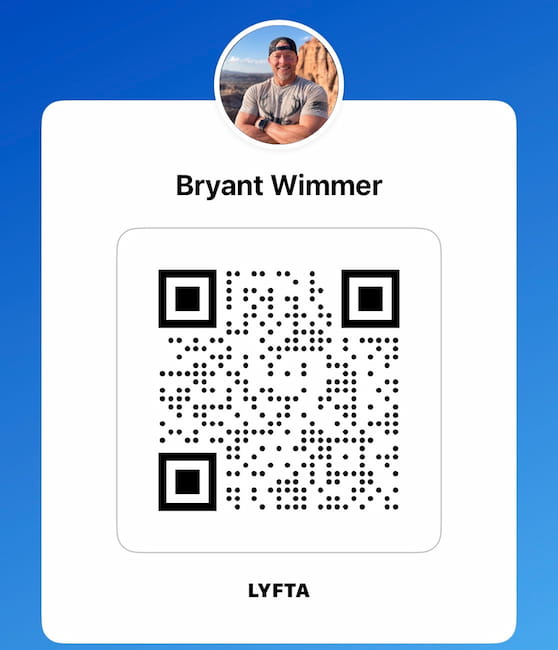
If you want to follow me on Lyfta, search Bryant Wimmer in the app or visit lyfta.app/up/7uqy6. I'll follow you back.
Quick Setup Tips After You Download
Four things to do immediately after installing Lyfta:
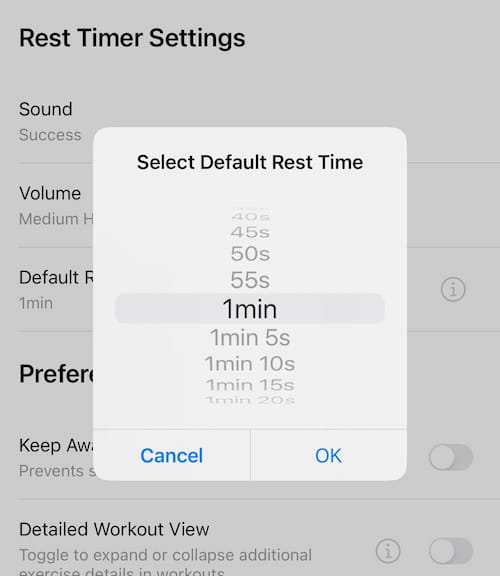
Set your default rest time. Go to Settings → Workout Settings → Default Rest Time. I set mine to 1 minute. This auto-starts a rest timer after every set — you never have to wonder how long you've been resting.
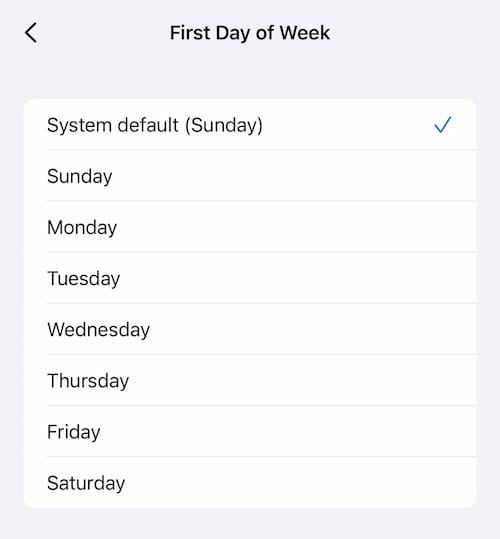
Set your first day of week. In Workout Settings, set this to match how you think about your training week. Default is Sunday.
Connect your fitness tracker. Lyfta connects with Apple Watch, Galaxy Watch, and most major fitness trackers. Connect yours for automatic workout logging and heart rate data.
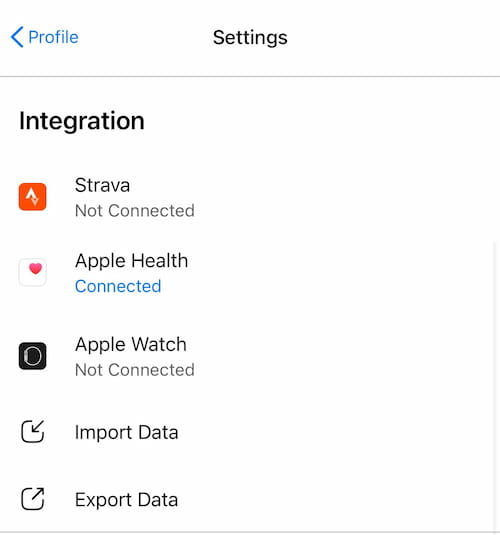
Build or choose your program. Use the exercise library to build your routine from scratch, or browse the program library for coach-designed options. Either way — get your program built before your first session.
Lyfta Free vs Premium — Is It Worth It?
The free version of Lyfta is genuinely useful. You can track workouts, access the exercise library, and use most core features without paying anything.
Premium unlocks additional programs, advanced analytics, and a few features that become more valuable as your training gets more structured. For anyone serious about their training, the premium features are worth it — especially at 30% off.
Lyfta Promo Code — WIMMER30
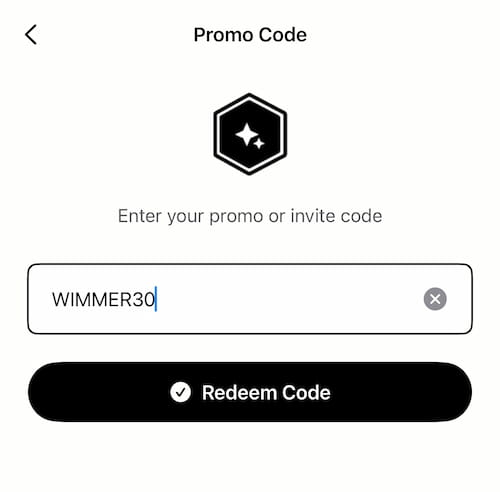
Use promo code WIMMER30 at checkout for 30% off Lyfta premium.
- Works on both monthly and annual plans
- No expiration date
- Applied at checkout after your free trial
Download Lyfta and use code WIMMER30 →
The Bottom Line
Lyfta is the best lifting app I've used. The exercise library with video demos, the "Perform Again" workflow, the volume tracking, and the social features all work together to make consistent, progressive training simple.
I'm five weeks in and still finding things I didn't know were there. That's a good sign.
Download it free. Build your program. Track your volume. Apply progressive overload consistently. The results follow.
Use code WIMMER30 for 30% off premium — no expiration, works on any plan.